
Visual mode for Claude Code
/visual: “Make this bigger.”
Visual mode beats text and even voice mode. Talk and point at your screen: /visual hands Claude Code your words and the exact spot you meant, and Claude changes the code.
Install
For macOS with Homebrew. Run the line, then type /visual in Claude Code.
curl -fsSL https://visual-mode.com/install.sh | shRead the script or the README.
How it works
-
1
Type
/visualIn Claude Code, or another coding agent that has the skill, type
/visualin the project you want to improve. The agent starts the tool, and a small floating widget appears on your screen.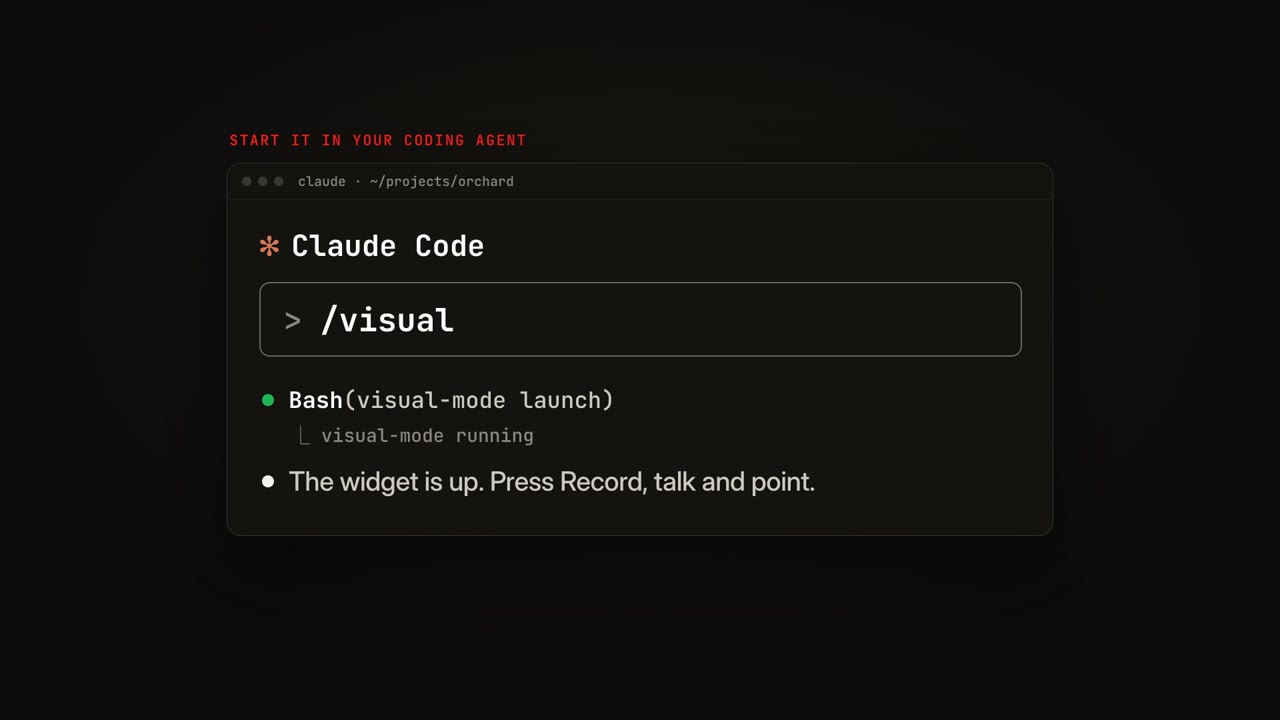
-
2
Talk and point
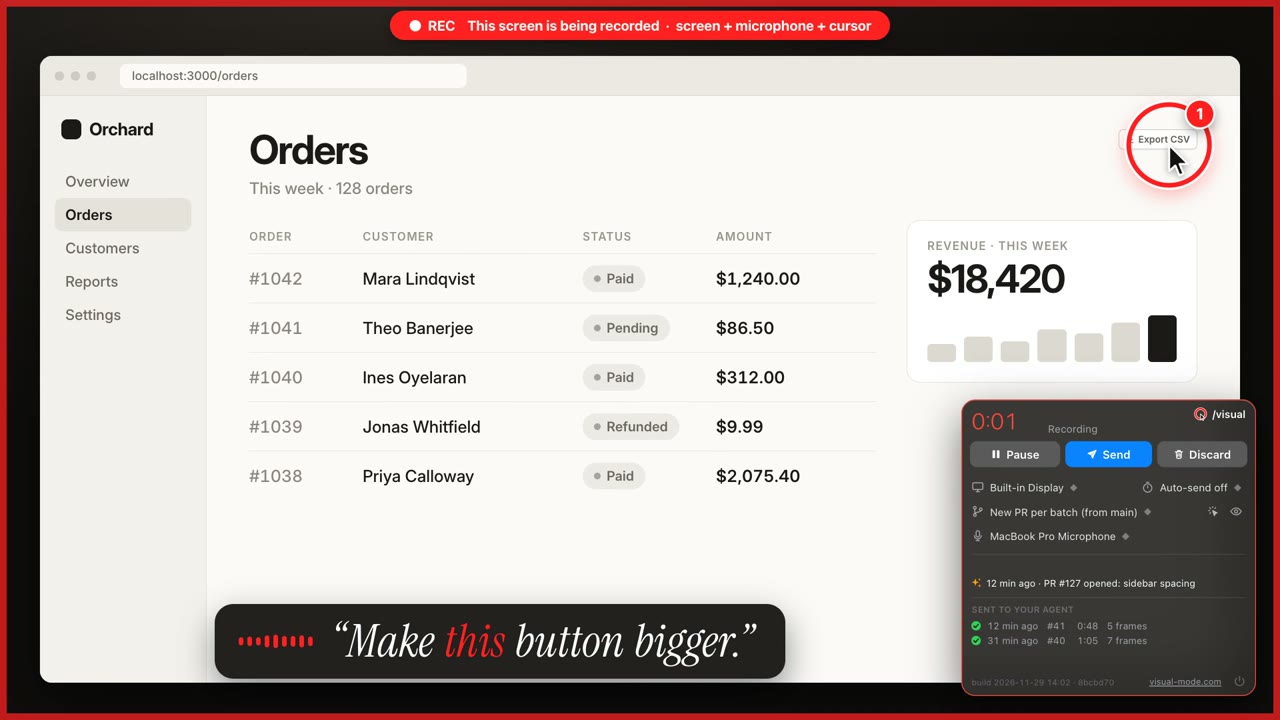
Press Record, talk, and point with the mouse. The widget records the screen you pick, your microphone and the cursor. A red frame shows which screen is being recorded.
-
3
Send
Each batch becomes a folder with a
timeline.md: what you said, transcribed on your Mac with whisper.cpp, and for every sentence the moment the cursor rested or clicked, as a zoomed crop and a full frame with a red ring around the cursor.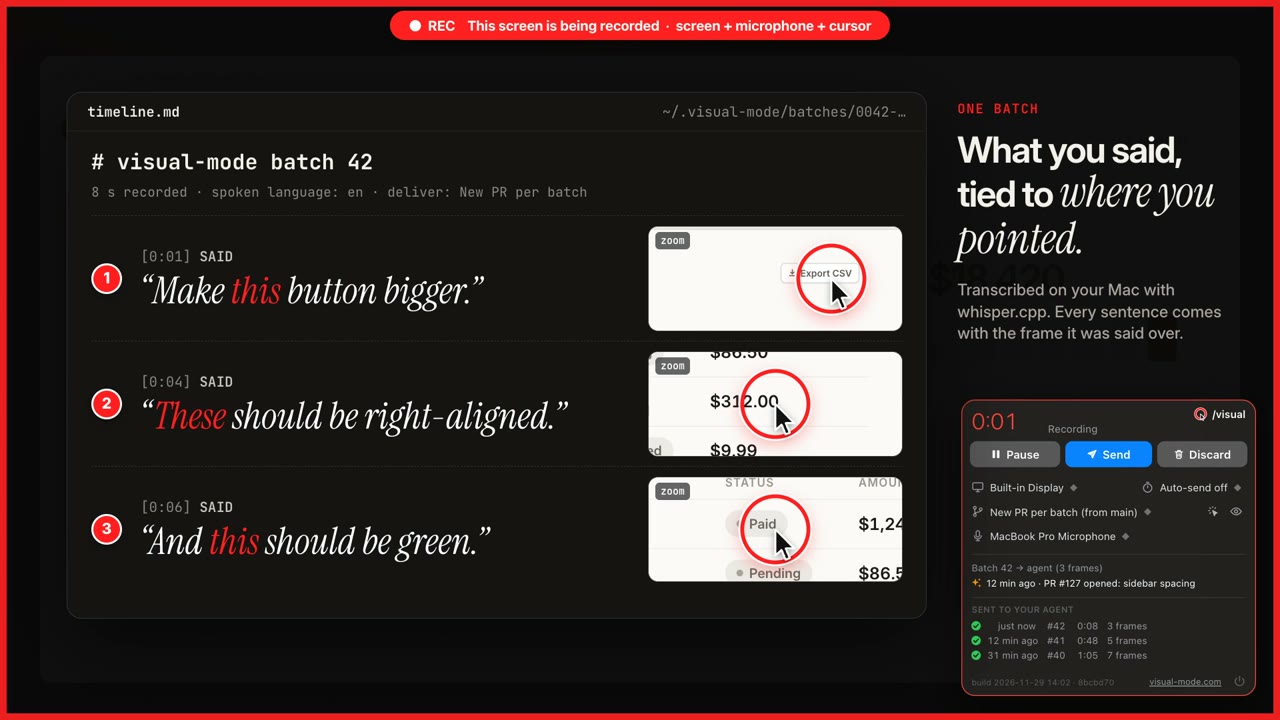
-
4
Claude changes the code
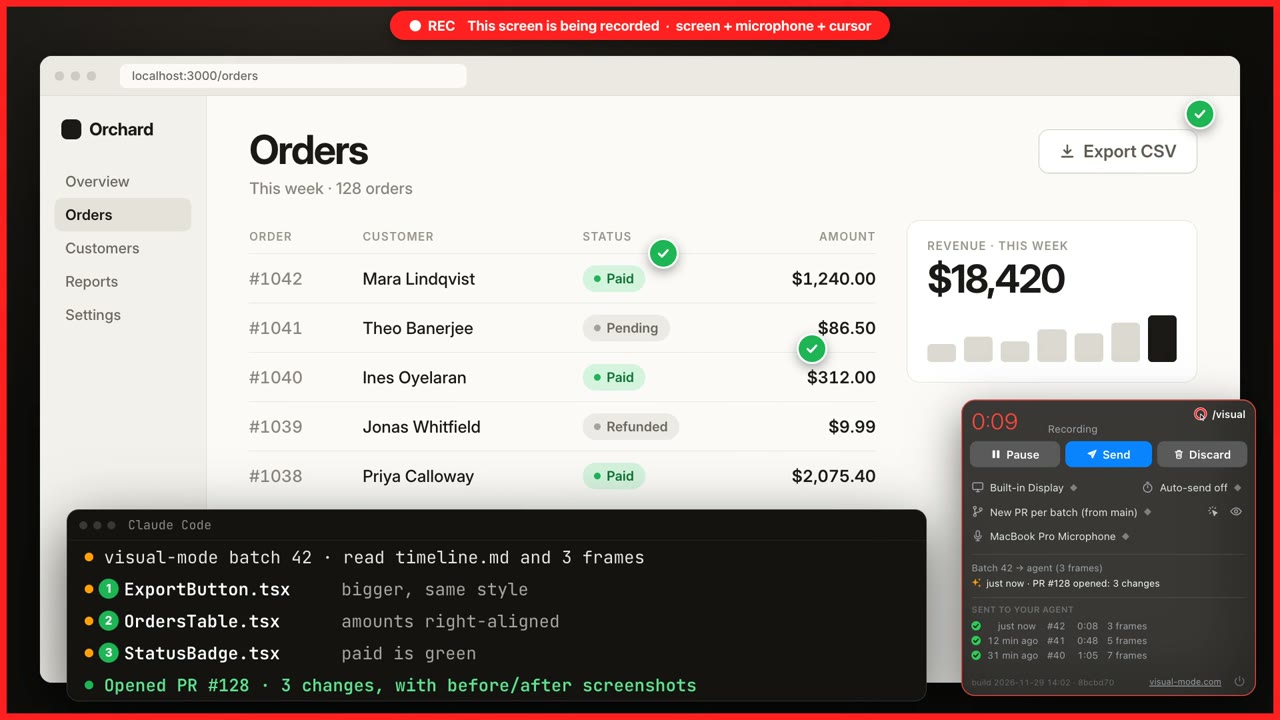
Claude Code watches for new batches, reads them, and changes the code of whatever you were showing. You pick where the changes go: a pull request per batch, commits on main, one branch, or no branch instructions at all.
What it is for
Three ways to work with it
-
Review it together
Go through your product in a call and improve it as you talk. Every improvement becomes its own pull request.
New PR per batch -
Build a feature together
Discuss a new feature, decide on the go, and watch it take shape in a single feature branch.
Branch / PR: feature/checkout -
Polish it on your own
Browse through your product and fix the small details you never reported, because describing them was too cumbersome.
fixed while you browse
What Claude gets
A plain Markdown file and a few images: what you said, and where the cursor was while you said it.
# visual-mode batch 42

- [0:01] SAID: "Make this button bigger."
  - point @ 0:01 · cursor at (1171, 155) pt
    zoom: frames/m01_zoom.jpg
    full: frames/m01_full.jpg
- [0:04] SAID: "These should be right-aligned."
  - point @ 0:04 · cursor at (843, 377) pt
    zoom: frames/m02_zoom.jpg
    full: frames/m02_full.jpg
- [0:08] END STATE
    full: frames/m04_full.jpg
Questions and answers
What is /visual?
/visual is visual mode for Claude Code: a free, open-source tool for macOS that lets you give feedback to a coding agent by talking and pointing. It records your screen, your microphone and your mouse cursor and turns them into batches: a Markdown timeline of what you said, with a screenshot of where the cursor was for every sentence. Claude Code reads each batch and changes the code.
How is it different from typing a prompt, voice mode or pasting a screenshot?
A typed prompt has to describe the place in words, and voice mode only saves the typing: you still describe the place. A screenshot shows a whole screen without saying which part you mean. /visual pairs every spoken sentence with the spot where the cursor rested or clicked at that moment, marked with a red ring, so words like “this” and “here” are clear. You keep talking and pointing instead of writing.
Which coding agents does it work with?
/visual is built for and tested with Claude Code. The skill that tells the agent how to read a batch uses the Agent Skills format, so other agents that read this format, such as Codex, Gemini CLI and opencode, load the same skill.
Does my recording leave my computer?
Speech is transcribed on your Mac with whisper.cpp, in English and German by default; no transcription service is involved. The raw video is deleted once a batch is processed. The batches, with transcript and frames, stay in
~/.visual-modeuntil you delete them. What your coding agent reads from a batch is sent to its model provider, like any other file it reads.Which platforms does it run on?
macOS, installed with Homebrew and tested on Apple Silicon. A first Windows version is marked experimental: it has not been tested on Windows yet. Linux is not supported.
What does it cost?
Nothing. /visual is open source under the MIT licence. You bring your own coding agent, such as Claude Code.
How do I install /visual?
Run one line in the terminal:
curl -fsSL https://visual-mode.com/install.sh | sh. The installer adds ffmpeg, whisper-cpp and uv with Homebrew if they are missing, downloads the speech model (about 1.6 GB, once) and installs the skill for your coding agent. Then give Screen Recording and Microphone permission to the app your agent runs in, and type/visualin your agent.Where do the changes go?
You choose in the widget: a new pull request for every batch, commits on main, one branch or pull request for everything, or no branch instructions at all. In the last case the agent follows what you say and the rules of your repository.